macOS · Windows menu bar app

A cat that watches your agents.
Adopt one.

Is Codex, Claude Code, or Gemini CLI running or stalled?
How many tokens has it burned? Your menu bar cat keeps watch.

Free · macOS 14+ (Apple Silicon & Intel) · Windows 10/11 (x64)

Agent Cat menu bar popover
MERLIN

A new release, Merlin.

Merlin is the new direct-download preview for Agent Cat: account sign-in, Agent Hub, richer reports, and the Merlin Cat pin.

  • Google / Apple sign-in ties this Mac, Agent Hub, and Pro reports to one account
  • Agent Hub syncs device, provider, and project summaries only — no prompts or full paths
  • Merlin Cat pin plus What’s New for every preview change
Sign in Google / Apple ID connects the app, web Account, and subscription state.
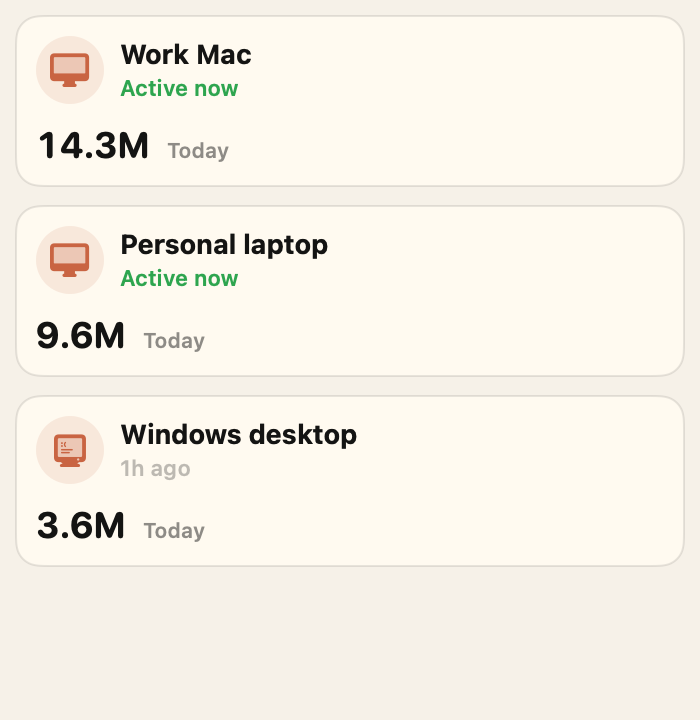
Agent Hub Bring MacBook, Studio, and Windows devices into one account home.
Connected Home Daily usage, project labels, and provider flow stay summarized.
Reports & Pins Daily, weekly, monthly reports plus the Merlin Cat preview pin.
Agent Cat Merlin
No terminal needed to see it Which agent is running right now shows up straight on the menu bar icon. No window-hopping.
Reads local metadata only No prompts, no responses, no code. Only CPU, processes, and token counts, read locally. Details →
Codex · Claude · Gemini supported OpenAI Codex, Anthropic Claude Code, and Google Gemini CLI. Only what's running on this machine.

Screens

Everything in one popover

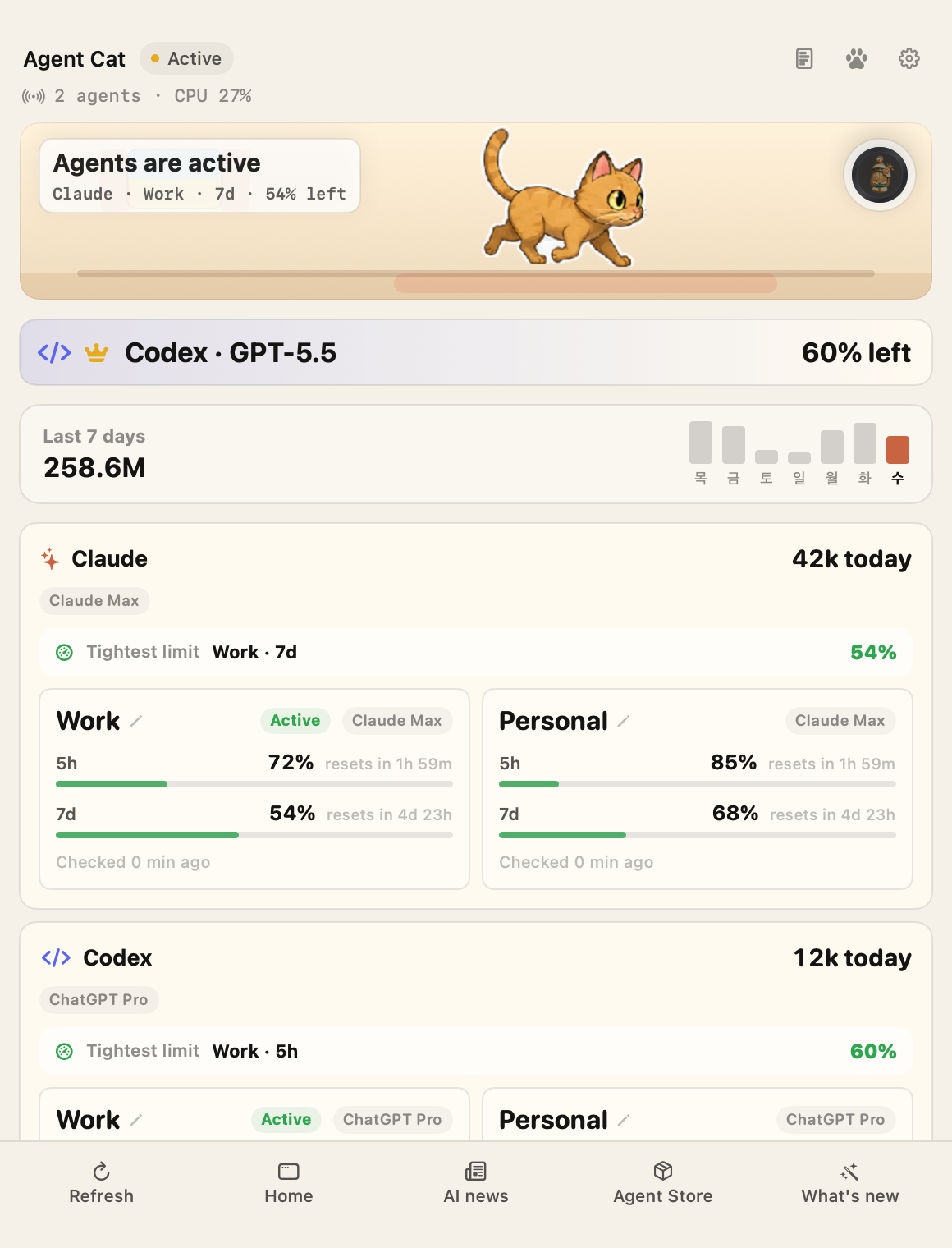
The agent list and activity metrics live on one screen. See what's running at a glance.

Agent Cat menu bar popover
Main view

Who's running right now

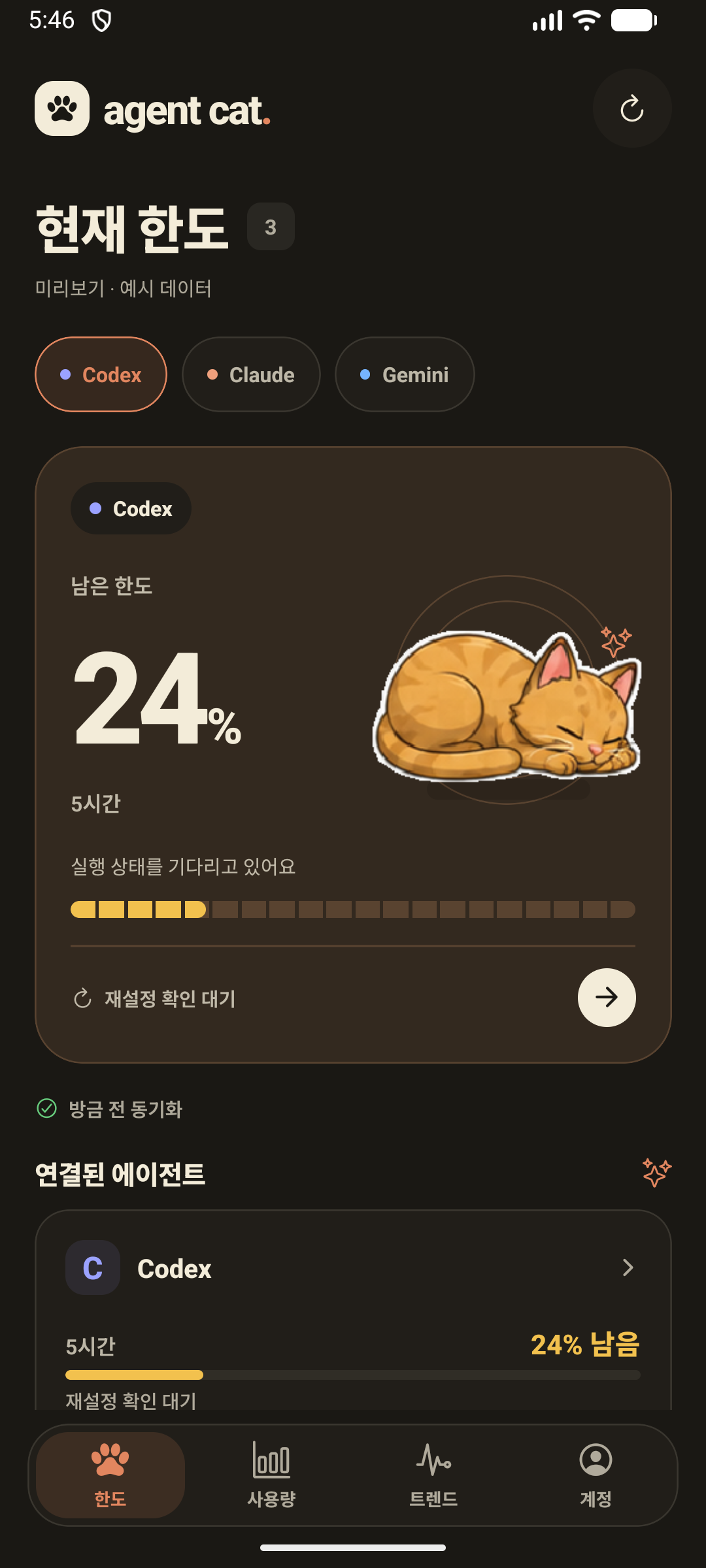
See active agents and their status at a glance. When everything stops, the cat curls up and sleeps too.

Agent Cat dashboard — Codex, Claude, and Gemini activity in one view
Multi-agent

Codex · Claude · Gemini, one screen

Run status, usage, and daily trends for all three agents in one dashboard. No need to open separate windows to compare.

Agent Cat settings — 한국어, English, 日本語, 简体中文
Localization

한국어 · English · 日本語 · 简体中文

Four languages, including your system default. Whichever you pick, you get the same info in the same place.

Home

Models, limits, projects — all in one Home

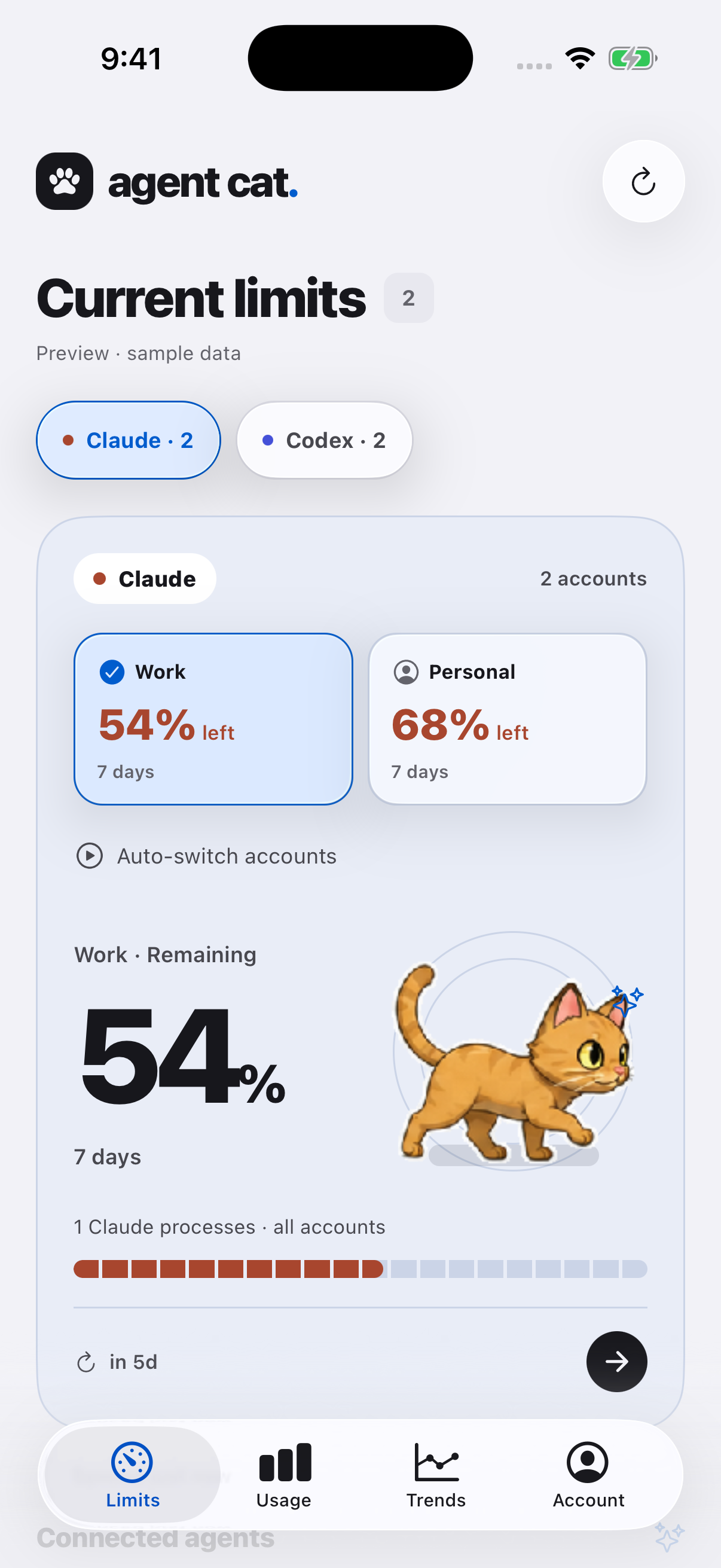
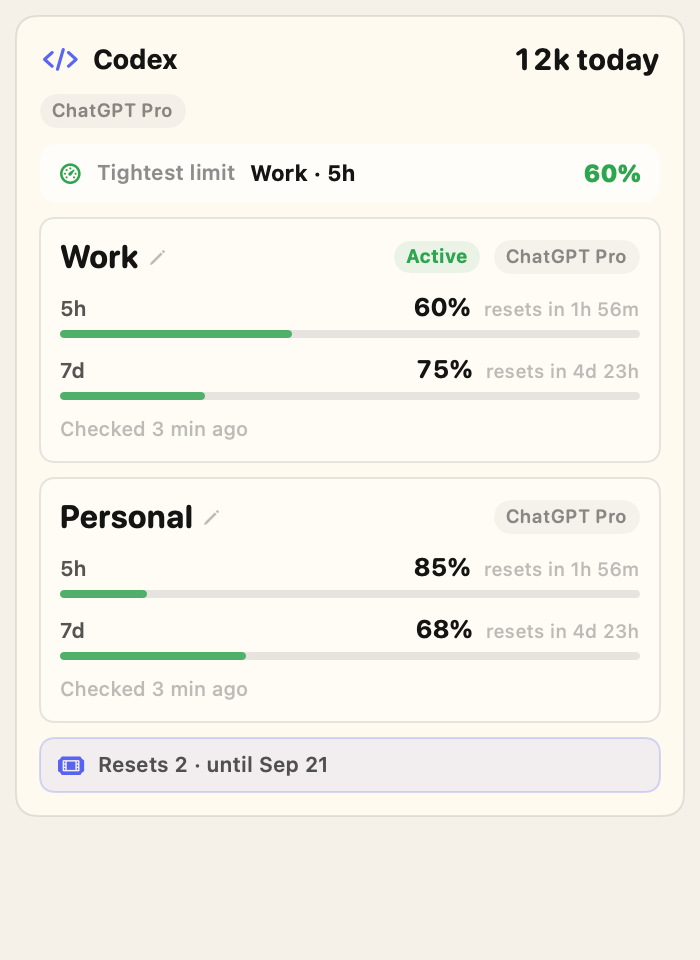
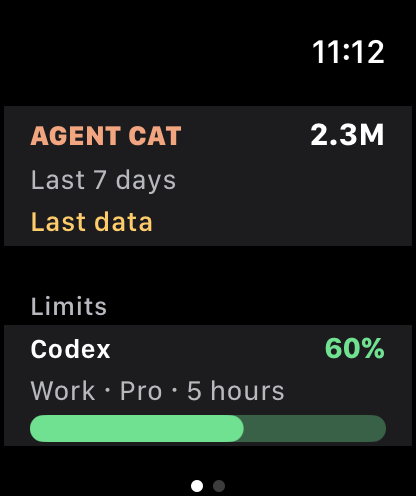
Click the menu bar icon to open Agent Cat Home. See the model you are using, remaining limits, and project flow without opening every CLI.

Agent Cat insights — cost, tokens, and per-model breakdown

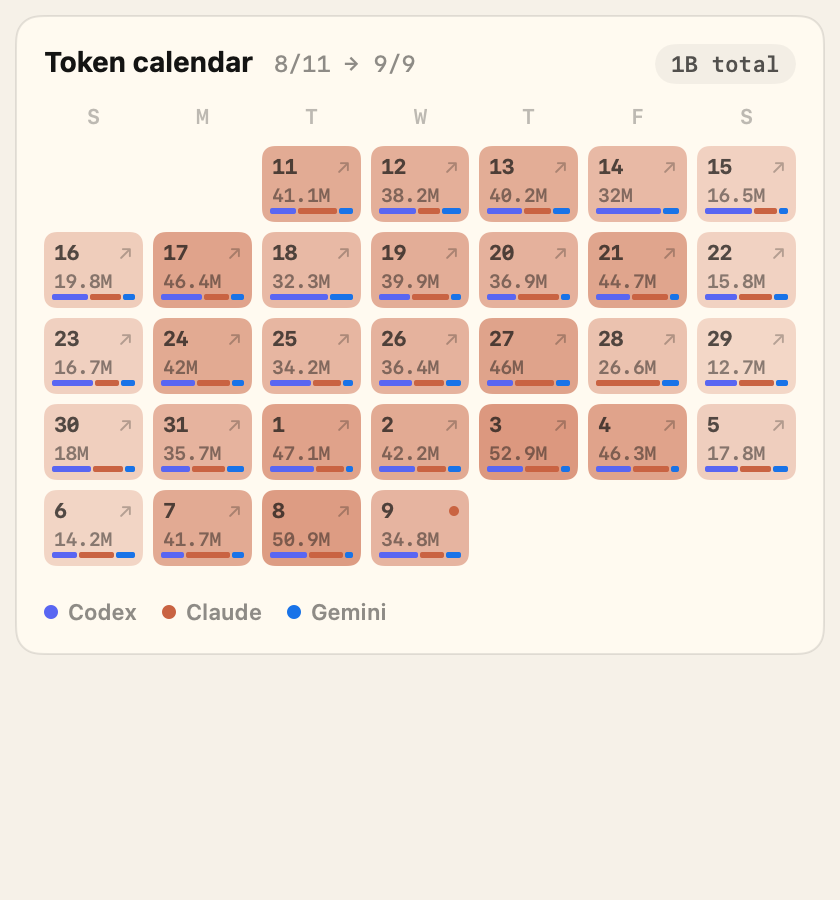
Cost, tokens, cache hit rate

Break tokens and cost down by provider and model. Cache hit rates are right there too, so you can see exactly where the money goes.

Windows

The same in the Windows tray

Just like the macOS menu bar, it works the same way in the Windows 10 · 11 tray. Codex · Claude · Gemini — same system, same screen.

  • 26.26.1 Merlin Preview direct download is live
  • Microsoft Store build is pending update
  • Windows 10 / 11 (x64) supported
  • Same tray icon + popover experience
Try the Merlin Preview first Windows Store · pending update wget: wget https://agentcat.app/download/windows -O AgentCat-26.26.1-windows-x64-setup.exe
Agent Cat running in the Windows tray — Pomeranian mascot in an active state
Windows 11 tray · active mode

Motion

Walking speed = agent activity

The cat moves through three stages — idle, walking, running — based on activity. One glance at the icon tells you whether things are quiet or busy.

Idle sleeping

No agent is running. The cat curls up and sleeps too.

Walking stretching

An agent is on but activity is low. It's waiting on a response or ready for the next command.

Running sprinting

Activity is high. It's writing code or grinding through heavy work.

How it's measured

CPU usage plus the number of running processes adds up to an activity score. The higher the score, the faster the cat walks.

Where the data comes from

The display is computed only from the local usage snapshot on this machine. It never looks at prompts, responses, or code.

Mascots

Beyond the cat, 26 in all, every one moves with activity

Pick a menu bar mascot to match your taste. Whichever friend you choose, it speeds up the same way with activity.

Scroll sideways or tap the arrows to browse all 26. Swap in your favorite friend under Settings → Mascot.

Agents supported

Hooks straight into the CLIs you already use

Nothing new to install. It recognizes the AI CLIs you already run in your terminal.

OpenAI Codex

Reads Codex CLI's run status and activity. The moment a session starts, the mascot reacts.

Anthropic Claude Code

Follows Claude Code's process activity. If context usage is logged locally, it shows that too.

Google Gemini CLI

Reads Gemini CLI's activity. Usage limits are shown only as exposed locally.

OpenCode · VS Code coming soon

Usage tracking for VS Code extensions and multi-provider CLIs like OpenCode is in the works. They'll join the same menu bar soon.

Antigravity · Cursor & more exploring

We're looking at support for Antigravity, Cursor's built-in agent, GitHub Copilot CLI, and other tools. Suggest one in the issues ↗

Pro / Team

Free is the local Home. Pro adds Agent Hub.

Agent Cat stays useful for free: live AI activity on this machine. Merlin’s Pro path uses Google / Apple sign-in to connect Home, Agent Hub, Reports, and Team under one account, while sync stays limited to daily totals and project labels.

Personal Pro $6.99/mo $69.99/year
Free

Understand one computer at a glance

  • Live provider and model status
  • 30-day history and weekly recap
  • Basic limit alerts and budget caps
  • Core pins and mascots
Pro

Understand cost and limit flow

  • Google / Apple account and Agent Hub
  • Daily, weekly, and monthly reports you can save or export
  • Project spend and cache savings
  • Connected Home and Pro connector prep flow
Team

See teammates and projects together

  • Member usage and cost summaries
  • Project, provider, and model mix
  • Shared reports and budget alerts
  • Invite links for teammates
LOGIN Google / Apple ID

Use one account for the app, web Account, and subscription state.

AGENT HUB Device registration

Register this Mac and merge device summaries into one Home.

HOME Connected Home

Daily totals and project labels only. No prompts, replies, code, or full paths.

MERLIN Preview pin

Merlin Preview users unlock the Merlin Cat pin and the new rewards path.

Agent Cat Home example
Actual app screen · Agent Cat Home
FREE

Home works before you sign in

Free Home shows the providers, models, remaining quota, and weekly shape on this machine. Sign in when you want that same path to continue into Agent Hub and Pro reports.

Agent Cat Pro report example
Actual app screen · Enhanced reports
PRO

Daily, weekly, and monthly reports are built to export

Pro goes beyond token counts: which projects drove spend, how much reuse saved, and when your current pace gets close to the limit.

Agent Cat connected Home example
Actual app screen · Connected Home
PRO

Agent Hub starts with device registration

Bring your MacBook, Studio, and Windows work machine into one account. The server receives totals and project labels only; prompts, replies, code, and full paths are not handled.

Agent Cat Team project summary example
Actual app screen · Team project summary
TEAM

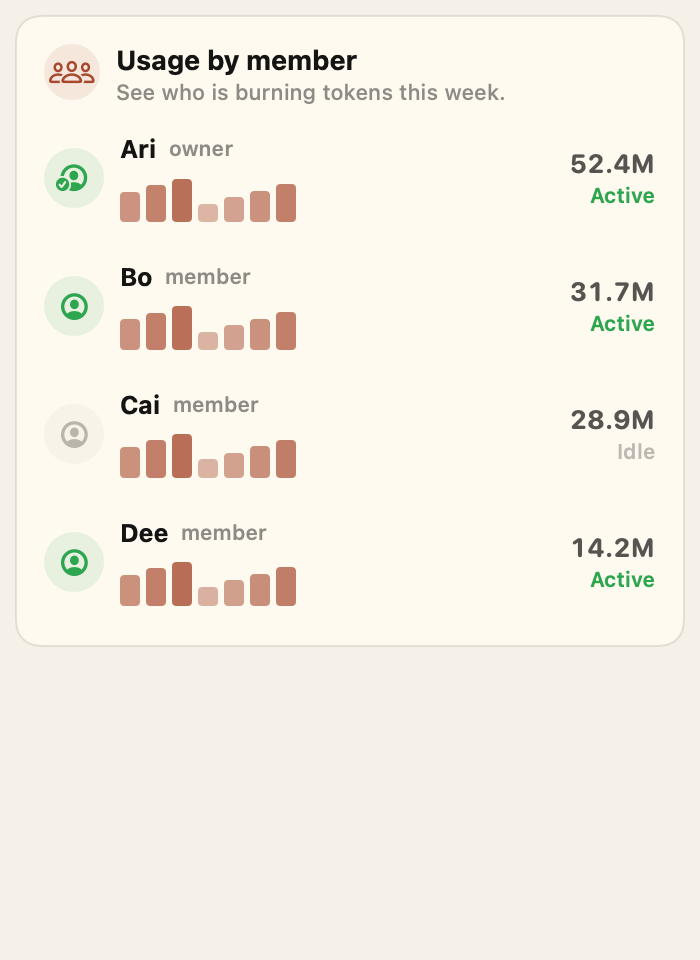
Team is a separate collaboration view

Team shares member totals, top projects, and provider mix. It uses aggregate rollups only, not raw prompts or full paths.

Agent Cat pins and achievements example
Actual app screen · Pins and achievements
PRO

Merlin Preview includes the Merlin Cat pin

Core pins stay free. Merlin Cat and Pro pins celebrate preview access, long-range history, reports, and team activity.

Available now

macOS

Apple Silicon & Intel · macOS 14 and up

Available now

Windows

Windows 10 / 11 · x64 tray icon

Get started

Open it, then confirm the connection once

Agent Cat guides the required local connection from inside the app. If automatic install is blocked, the app shows a fallback guide.

  1. 1

    Install with the DMG or Merlin Preview direct download

    The macOS DMG and Windows 26.26.1 EXE are both Merlin Preview builds. The Store build is still pending update.

  2. 2

    Confirm the connection in the app

    The welcome screen installs and verifies the small local helper. No prompt-pasting required; after install, click the cat to see usage.

    If automatic install is blocked, ask your AI agent for help

    The in-app installer is the normal path. Use this only on locked-down machines, and paste it into Claude Code, Cursor, Codex, or Gemini CLI chat.

    # Heads up: this is an instruction for an AI agent (Claude Code/Cursor/Codex/Gemini CLI).
    # If you are a human and pasted this into a terminal or PowerShell, stop and paste it into an AI agent chat instead.
    
    The user just installed Agent Cat. Help finish the local connection for this OS.
    
    1. Check whether the Agent Cat helper is already installed:
       - Windows PowerShell:
         Get-Command agentcat -ErrorAction SilentlyContinue
       - macOS/Linux shell:
         command -v agentcat
    
    2. If it is missing, run exactly one OS-matching install command:
       - Windows PowerShell:
         irm https://raw.githubusercontent.com/yong076/agentcat-connectors/main/install.ps1 | iex
       - macOS/Linux shell:
         curl -fsSL https://raw.githubusercontent.com/yong076/agentcat-connectors/main/install.sh | bash
    
    3. Verify it works by running:
       agentcat snapshot --json
       You should see JSON with `schemaVersion`, `activity`, and `providers`.
    
    4. If verification fails, show the exact error and suggest opening the Agent Cat app again. Do not continue silently.
    
    5. Confirm that the menu bar/tray cat can now show local AI activity.
    
    Privacy note: Agent Cat keeps prompts, replies, code, and file contents on the device.

    This is a safety net for machines where the app-led install fails. Once it succeeds, it works across every session on this machine.

If you'd rather install it by hand

You can run it in your shell directly, no agent required.

agentcat · PowerShell / zsh

# Install & run the connector on Windows PowerShell

irm https://raw.githubusercontent.com/yong076/agentcat-connectors/main/install.ps1 | iex

# Install & run the connector on macOS/Linux

curl -fsSL https://raw.githubusercontent.com/yong076/agentcat-connectors/main/install.sh | bash

# Confirm it's working

agentcat snapshot --json
Read the connector docs If anything goes wrong, Settings → Diagnostics shows you exactly where it's stuck.

FAQ

Frequently asked questions

Does it work right after install?

On first launch, the welcome screen installs and verifies the required local connection. If automatic install is blocked, the app shows a fallback guide.

Can I switch from the cat to another friend?

Yes. From cat colors to the cheetah, horse, money gun, pups, small animals, and fantasy friends, you can pick your favorite from 26 mascots.

Do you collect my code or prompts?

Not at all. It never reads prompts, responses, conversation logs, or the contents of your code. It only reads metadata like CPU usage, process counts, and token counts, right here on this machine.

Can I get it on the Mac App Store?

Yes — it's live on the Mac App Store. Pick the Store build for automatic updates and App Store subscriptions, or the DMG if you'd rather manage it yourself.

Does it affect battery or CPU?

Hardly at all. It does no heavy computation. Anonymous statistics are only sent if you opt in.

How is cost calculated?

We estimate it by multiplying the token counts in your local logs by published model rates. It won't match your official invoice exactly, but it's plenty to see where and how much you're spending.

How granular does the model breakdown get?

It breaks out the models logged locally — gpt-5.x, claude-opus and haiku, gemini, and more — exactly as they appear. Right down to tokens, cost, and share per model.

Can I see it by project too?

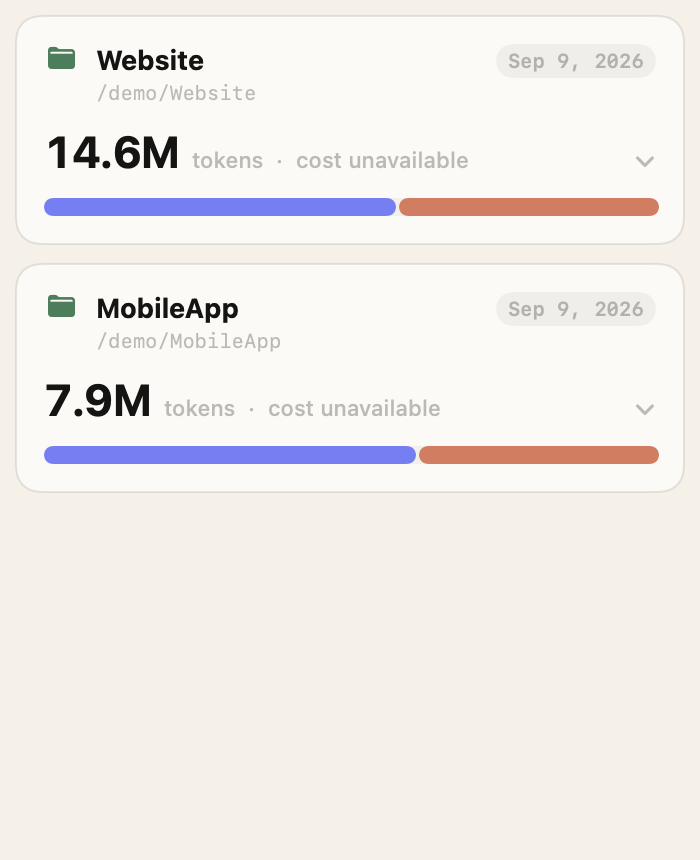
Yes. It splits tokens by working folder (directory). You can drill down into which provider you used on which project, and how much.

Does it show my remaining limits?

If limit info is exposed locally, it shows it as-is. It doesn't guess values that aren't exposed.

Is the data real-time?

It reads and refreshes the local snapshot periodically. Hit refresh and it re-reads immediately.

Anything beyond Codex, Claude, and Gemini?

It reads OpenCode too. VS Code extensions and other multi-provider CLIs are in the works.

If I use it on several machines, does it merge?

Free stays local to each computer. Pro is being prepared to bring chosen daily summaries into Agent Cat Home, so multiple Macs can show usage, cost, and project flow together.

Does it work offline?

Yes. All measurement happens locally. Transmission only occurs if you've opted into anonymous statistics.

What is Pro?

Free stays strong for one-Mac real-time usage, basic limit alerts, 30-day history, and weekly recaps. Pro adds full history, project spend, current pace and time-to-limit, best-provider-now, daily/weekly/monthly reports, and a multi-device Home. Team is a collaboration surface for member summaries and project cost flow.

How much is Pro?

$6.99/month or $69.99/year. DMG, Windows, and web use secure web checkout; the Mac App Store build uses App Store subscriptions.

Does Pro change how my local data is handled?

No. Prompts, replies, code, and full paths never leave your machine. Pro sync and Team use only the daily summaries you choose to enable, plus folder names.

Why does Pro need a Pro connector?

The Pro connector is the local connection for richer reports and recommendations. After account checks, it improves project cost, current-pace, and recommendation calculations while prompts, replies, code, and full paths stay on your device.

What does cache hit rate mean?

It is the share of work reused instead of recalculated. Higher cache reuse usually means the same work costs less, so Pro reports show it next to project spend and savings.

Tips

How to get the most per platform

The menu bar and the tray differ a little by OS. Here are small tips to keep it more visible.

macOS

Available
  • Hidden behind the notch

    With a crowded menu bar, the icon can slip behind the MacBook notch. Hold and drag the cat to move it. Park it toward the right, near the system icons (Wi-Fi · battery · clock), and it won't meet the notch.

  • Launch at login

    Add Agent Cat under System Settings → General → Login Items, and it wakes up in the menu bar every time you start your Mac.

  • Works with Bartender · Ice · Hidden Bar

    It plays nicely alongside menu bar manager apps. If you want it visible often, we recommend keeping it in an always-shown slot.

Windows

Available
  • Pin the icon in the tray

    When the Windows tray gets crowded, icons move into the ▲ (hidden icons) overflow. Pin Agent Cat to "Always show" under Taskbar settings → tray icons, and it stays the most visible.

  • Launch at startup

    Turn Agent Cat on under Settings → Apps → Startup, and it wakes up in the tray every time you start Windows.

Build it with us

What we're building next, all in the open

We keep what's coming next public on GitHub issues. Drop your thoughts there too.

github.com/yong076/agent-cat-releases/issues ↗
Loading the roadmap… (v3-inline)

Go share a new idea ↗